What this setting does
Sets the starting position of the booking-sheet toggle (“Fee includes super”) for new bookings at a specific venue. You can still override it on any individual booking.
ON → Inclusive (performance fee entered contains super)
OFF → Plus super (performance fee is bank amount; super is added on top.
Where to set it
Manage → My Venues → (⋯) → Set Super Default for Bookings
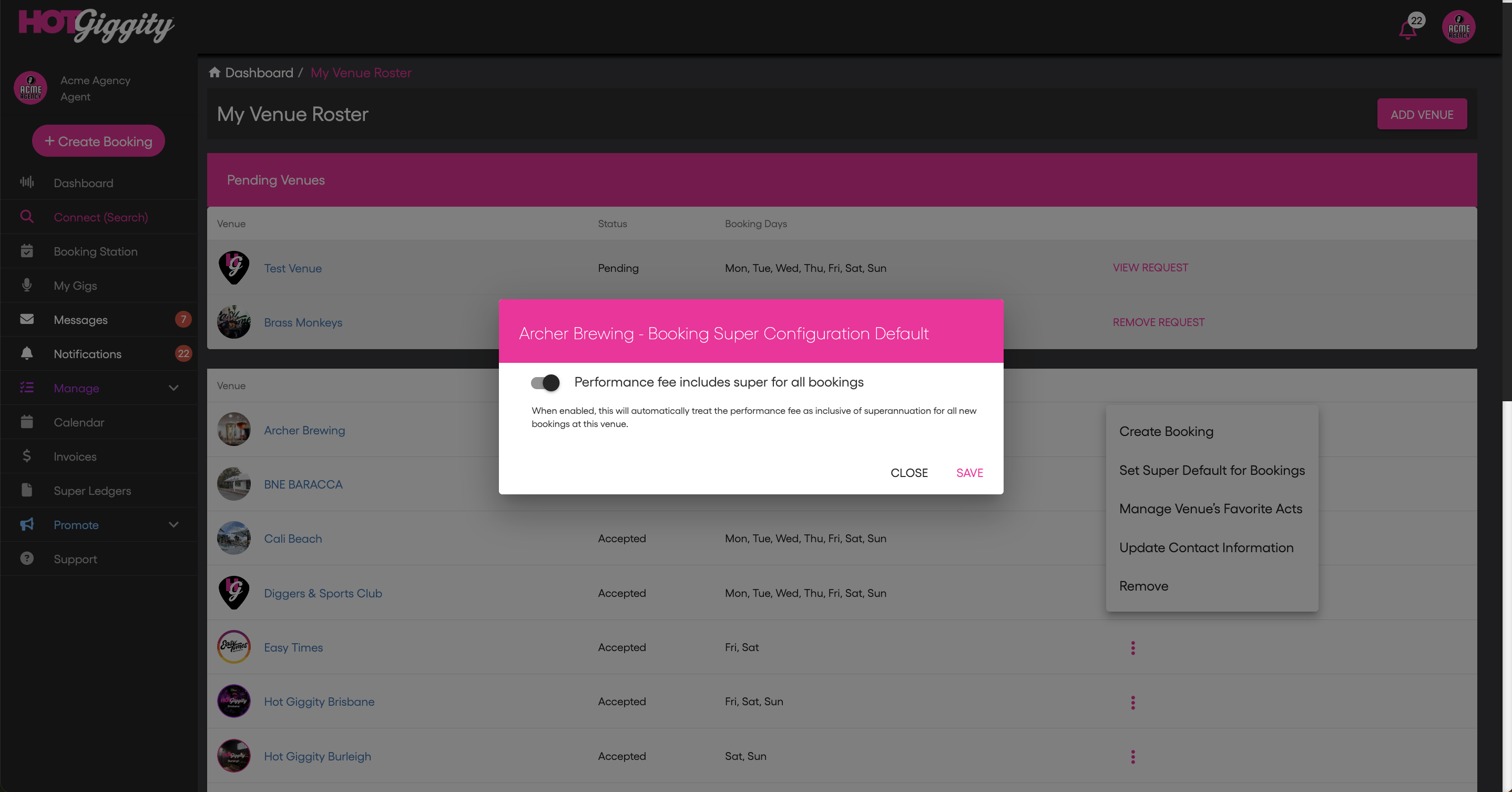
Steps
Go to Manage → My Venues.
Find the venue and click the three dots (⋯).
Choose Set Super Default for Bookings.
Toggle Performance fee includes super for all bookings ON (inclusive) or OFF (plus super).
Click Save.
How it behaves
Affects future bookings for that venue only.
Does not change existing bookings.
The booking sheet toggle still appears; users can override per booking.
Quick examples
Default = Inclusive
Booking opens with Fee includes super = ON.
Enter the agreed performance fee (ex tax); HG backs out SG for sole-trader acts and shows it separately (SG is GST-free).
Plus super (recommended when you agree with the venue that super will be paid on top)
Booking opens with Fee includes super = OFF.
Enter the performance fee (ex tax); HG adds SG on top for sole-trader acts (still GST-free).
Related articles
Super Ledgers for Hirers: Track What You Owe & What’s Paid (Agents)
Pay Super with Xero (AU Payroll) — Hot Giggity Integration (Agents)
Got questions?
If you have any questions about anything in this article, please email support@hotgiggity.com.
Was this article helpful?
That’s Great!
Thank you for your feedback
Sorry! We couldn't be helpful
Thank you for your feedback
Feedback sent
We appreciate your effort and will try to fix the article