Hot Giggity now allows agents to automatically approve a booking when it is created.
This feature is designed for situations where the booking has already been confirmed verbally or offline with the artist. Instead of waiting for the artist to log in and accept the booking, the booking can be marked as Auto Approved during the booking process.
What Happens When a Booking is Auto-Approved
When a booking is created with Auto Approve enabled, Hot Giggity will immediately process the booking as confirmed.
Depending on the booking structure, the platform will automatically:
- Create the agent invoice to the venue
- Create the artist invoice to the agency
- Update the Superannuation Ledger (if the artist is an Australian sole trader)
This means the booking, invoicing, and compliance tracking can all move forward without waiting for the artist to manually accept the booking in the platform.
How to Process a Booking with Auto Approve
When processing a booking, you will now see a new Auto Approve checkbox in the Booking Summary screen.
To use this feature:
- Create the booking as normal.
- Review the booking details in the Booking Summary screen.
- Tick the Auto Approve checkbox.
Click Process Booking.
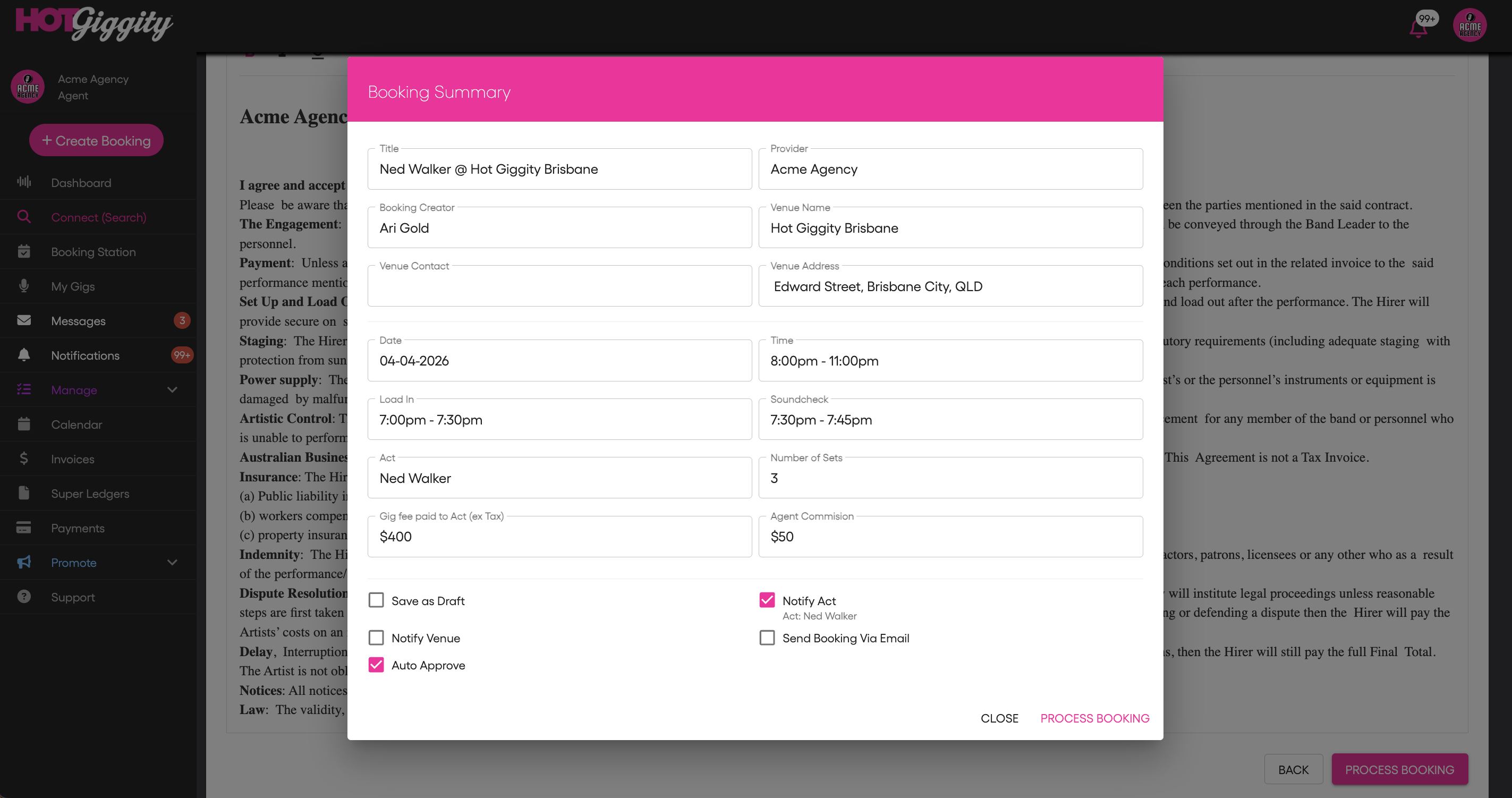
Once processed, the booking will be automatically confirmed and the platform will immediately trigger the relevant workflows, including invoicing and superannuation tracking where applicable.
This removes the need for the artist to log in and manually accept the booking.
When to Use Auto Approve
Auto Approve is ideal when:
- The artist has already confirmed the booking verbally
- You are processing confirmed bookings in bulk
- A venue has standing agreements with regular performers
Using Auto Approve helps streamline the booking workflow and ensures invoices and compliance records are created immediately.
If you have any questions about this feature, please contact support@hotgiggity.com.
Was this article helpful?
That’s Great!
Thank you for your feedback
Sorry! We couldn't be helpful
Thank you for your feedback
Feedback sent
We appreciate your effort and will try to fix the article